ECUControl BETA1.4
Publisher Description
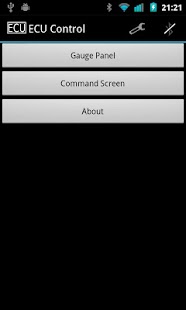
What ECU Control does is to connect to your bluetooth dongle and retrieve different information directly from your ECU --or ECM, like many people call it, I'm not quite sure of the nomenclature. So far it is in a very early stage, and it is very likely that it will not work for you. The purpose of this is to get some feedback on how does it feel and whether it works or not. I have a long way to go, but I think that with your help I might be able to make something actually kinda cool.
For the app to work it is required to have one of those cheap ELM327 bluetooth dongles. If you don't have one, I highly recommend to get one.
If you have comments or suggestions I would rather have them by email, don't waste your time with the comments or ratings because I can't reply to those and this is not a final product, just a BETA.
Now let's get a little more technical... this is what the app can do at this moment:
- Connect to the bluetooth dongle, at least with my phone, ECU and dongle, but yours might not work
- Give real-time data of the gauges shown on the screenshots above. In the future, it will support more gauges however, the speed at which the gauges are updated will most likely not get any better. Right now, you might experience a delay of up to 2 seconds...
- Manual input of OBD commands, mostly for debugging purposes, but feel free to mess with that at your own risk.
- Let the user select the gauges from a list and customize his own gauges and how they display
- HUD (Heads Up Display) using the video from the camera as a background instead of the plain black
What the app will do in the near future:
- Read and diagnose check engine light codes
- Improve the horrible-looking user interface
- Fix certain bugs regarding the settings management
What the app is expected to do in the long term:
- Make it 'social' by sharing highest gauge values, like max speed or max rpm, also share the different gauge displays that people make up
- Support different skins for the gauge displays
- This is a really long shot, but I might take a stab at dynamic ECU mapping (tunning)
Known issues:
- The app is in Kilometers per hour instead of Miles per hour, and the settings to change it might not be functional yet
- You may not be able to connect... once again, I only have one set of phone-ECU-bt dongle to test with, so that will take time to diagnose and solve
- The user interface sucks, I also didn't put much effort on the vertical gauges display, I will put more work on that in the near future, also the application icon will be changed
- The gauges seem slow and sluggish. I tried my best to make the gauges look smooth, even though the apparent delay is inevitable, the bottleneck is the crappy bluetooth dongle and the ELM327 protocol
- The connection gets lost at random times, I really don't know how to look into this one...
- The brake sensor displays highly inaccurate data
About ECUControl BETA
The company that develops ECUControl BETA is omtinez. The latest version released by its developer is 1.4. This app was rated by 1 users of our site and has an average rating of 4.0.
To install ECUControl BETA on your Android device, just click the green Continue To App button above to start the installation process. The app is listed on our website since 2012-12-30 and was downloaded 16 times. We have already checked if the download link is safe, however for your own protection we recommend that you scan the downloaded app with your antivirus. Your antivirus may detect the ECUControl BETA as malware as malware if the download link to omtinez.ecucontrol is broken.
How to install ECUControl BETA on your Android device:
- Click on the Continue To App button on our website. This will redirect you to Google Play.
- Once the ECUControl BETA is shown in the Google Play listing of your Android device, you can start its download and installation. Tap on the Install button located below the search bar and to the right of the app icon.
- A pop-up window with the permissions required by ECUControl BETA will be shown. Click on Accept to continue the process.
- ECUControl BETA will be downloaded onto your device, displaying a progress. Once the download completes, the installation will start and you'll get a notification after the installation is finished.
Program Details
System requirements
Download information
Pricing
Version History
version 1.4
posted on 2012-12-30
Several fixes and updates
version 1.4
posted on 2012-12-30
- Now it connects faster and more reliably,- Fixed bluetooth faulty setup caused by torque app (if ECUControl stopped working, it should now work again),- Implemented Heads Up Display (HUD) mode using back camera,- Implemented mirror mode to use when the phone is placed on the dash,- Fixed keep screen awake bug that sent screen to sleep,- Fixed full screen bug that crashed the application,- Modified settings dropdown menu,- Modified behavior or notifications
